
The operating system for real estate developers
PropBase connects marketing, sales, contracts, installments, collections, commissions and finance — data entered once flows everywhere, automatically.
- check_circleFull Arabic (RTL) & English
- check_circleCloud or on-premise
- check_circleAutomatic backups every 6 hours
460+
granular permissions
45+
built-in reports
13
automation jobs, 24/7
22
modules with maker–checker
16
data types in the Import Wizard
7
PDF documents generated
Why PropBase
Built for real estate — not adapted to it.
Generic CRMs and accounting packages don't know what a floor plan, a reservation deposit or a late-installment fine is. PropBase models the business the way developers actually work: Project → Zone → Building → Floor → Unit, real-estate lead sources, site visits, quotations, contracts, installments and cheques — all native.
closeScattered spreadsheets and disconnected tools
check_circleOne connected journey, entered once
close"Is this unit still available?"
check_circleLive unit status across every project
closeMissed collections and commission disputes
check_circleAutomatic reminders, fines and commissions
closeWaiting for month-end reports
check_circleReal-time dashboards and 45+ reports
Product tour
See the real system, screen by screen
Every screenshot below is taken from PropBase itself — the same screens your team will use.
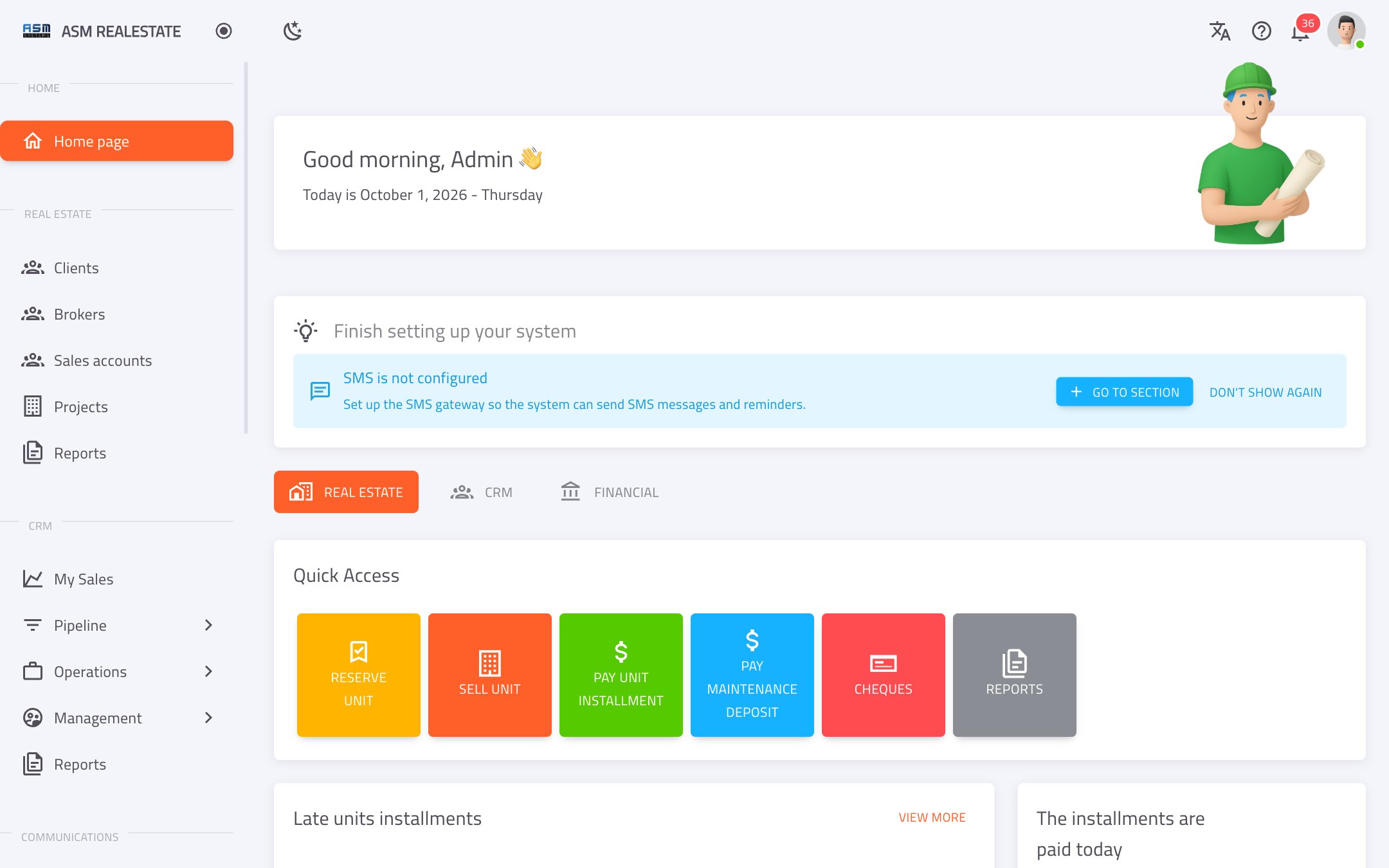
Start every day with the full picture
Three role-based dashboards — real estate, CRM and financial — with one-click access to the daily actions.
- check_circleLate, due and paid-today installments
- check_circleInventory status per project
- check_circleGuided setup tips on first use
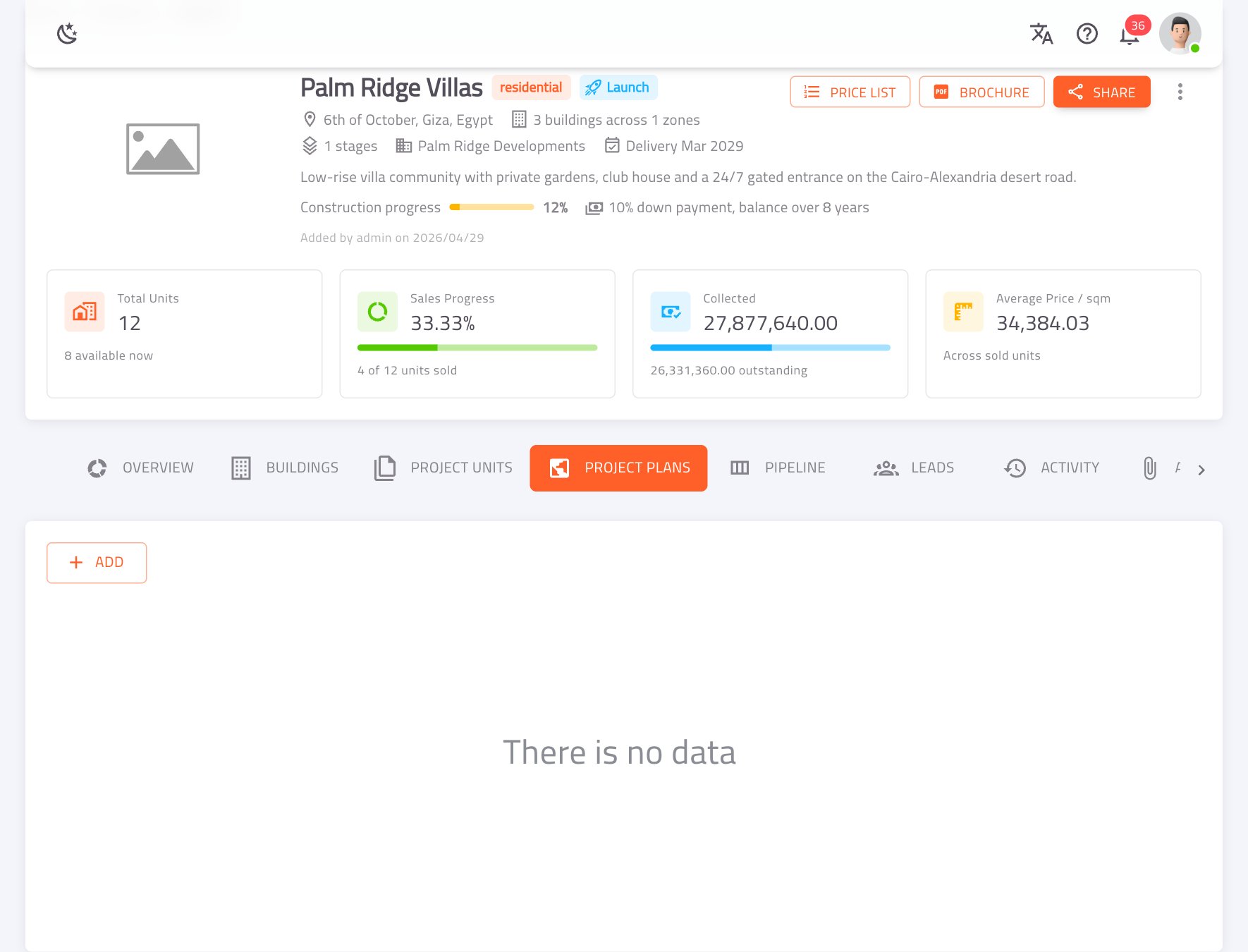
Every project at a glance
Sales progress, collected vs. outstanding, average price per m² and construction progress — on one header.
- check_circleProject → Zone → Building → Floor → Unit
- check_circlePrice list and brochure PDFs on demand
- check_circleGoogle Maps location, images and CAD files
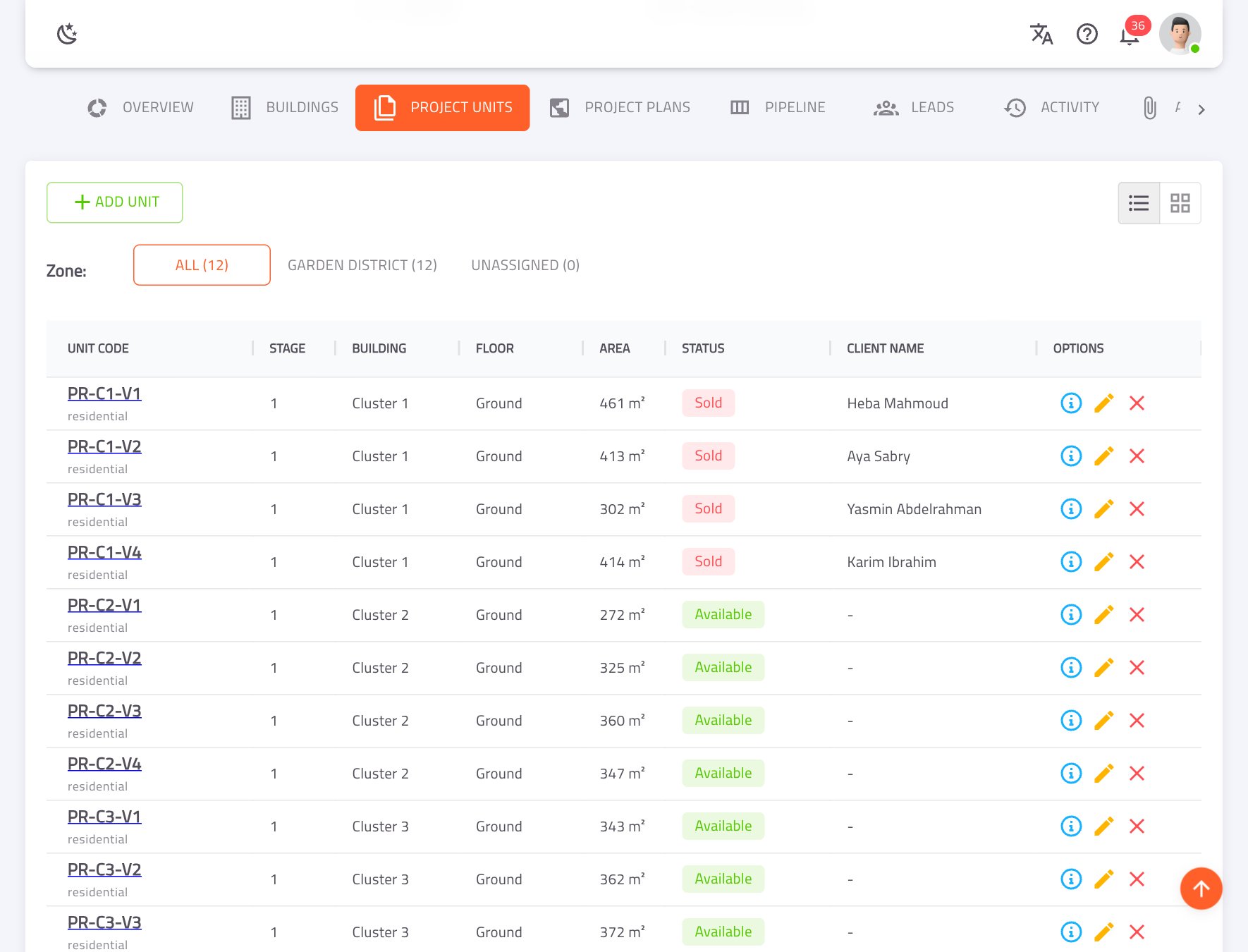
Know what's sold, reserved and available
Unit statuses update themselves from quotations, reservations and sales — no more double bookings.
- check_circleInteractive floor plans linked to units
- check_circleSee which leads match each unit
- check_circleBulk-load units with the Import Wizard
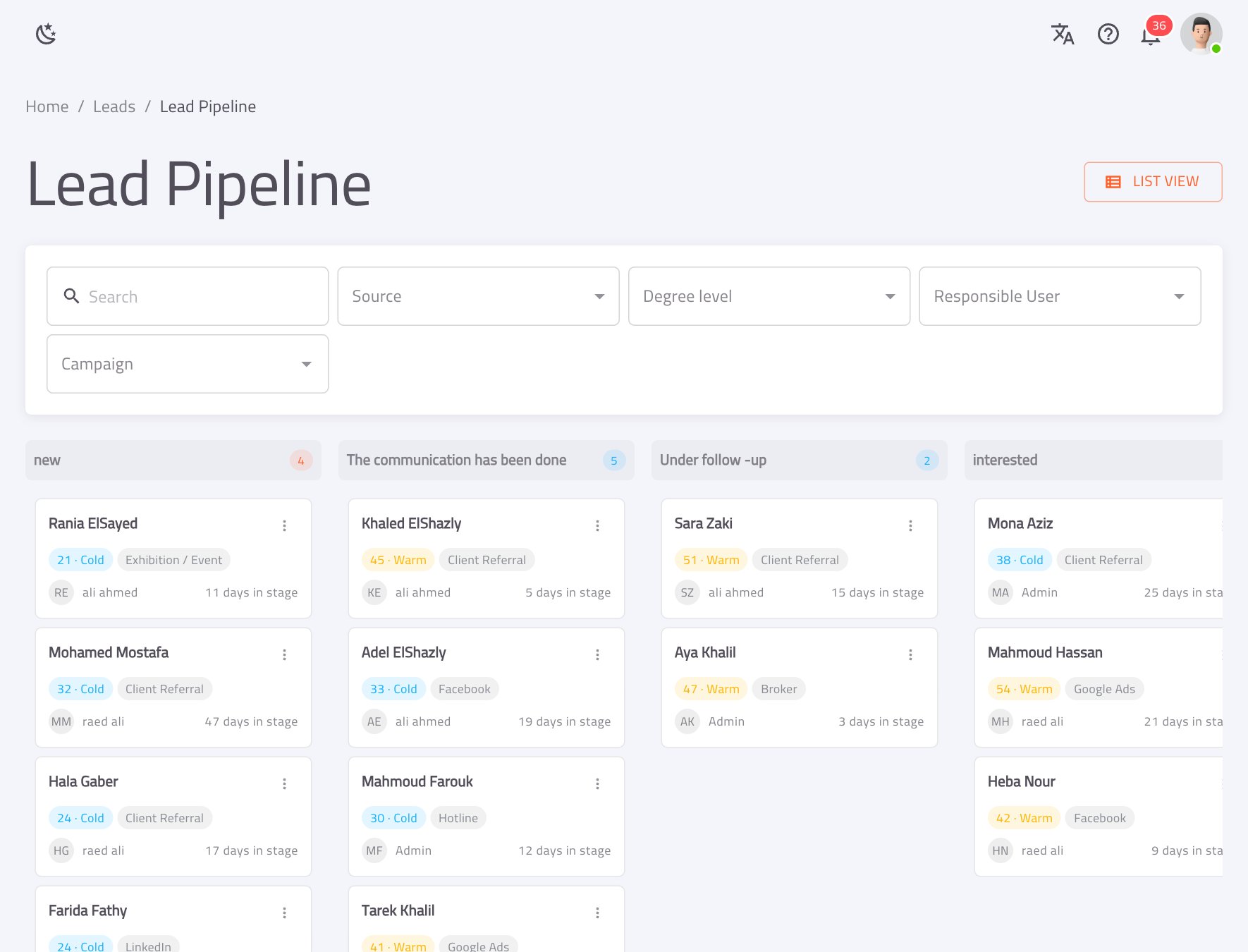
A pipeline built for property sales
Drag-and-drop Kanban with lead score, source and days-in-stage on every card.
- check_circle20 real-estate lead sources
- check_circleRound-robin or least-loaded auto-distribution
- check_circleDuplicate detection and merge
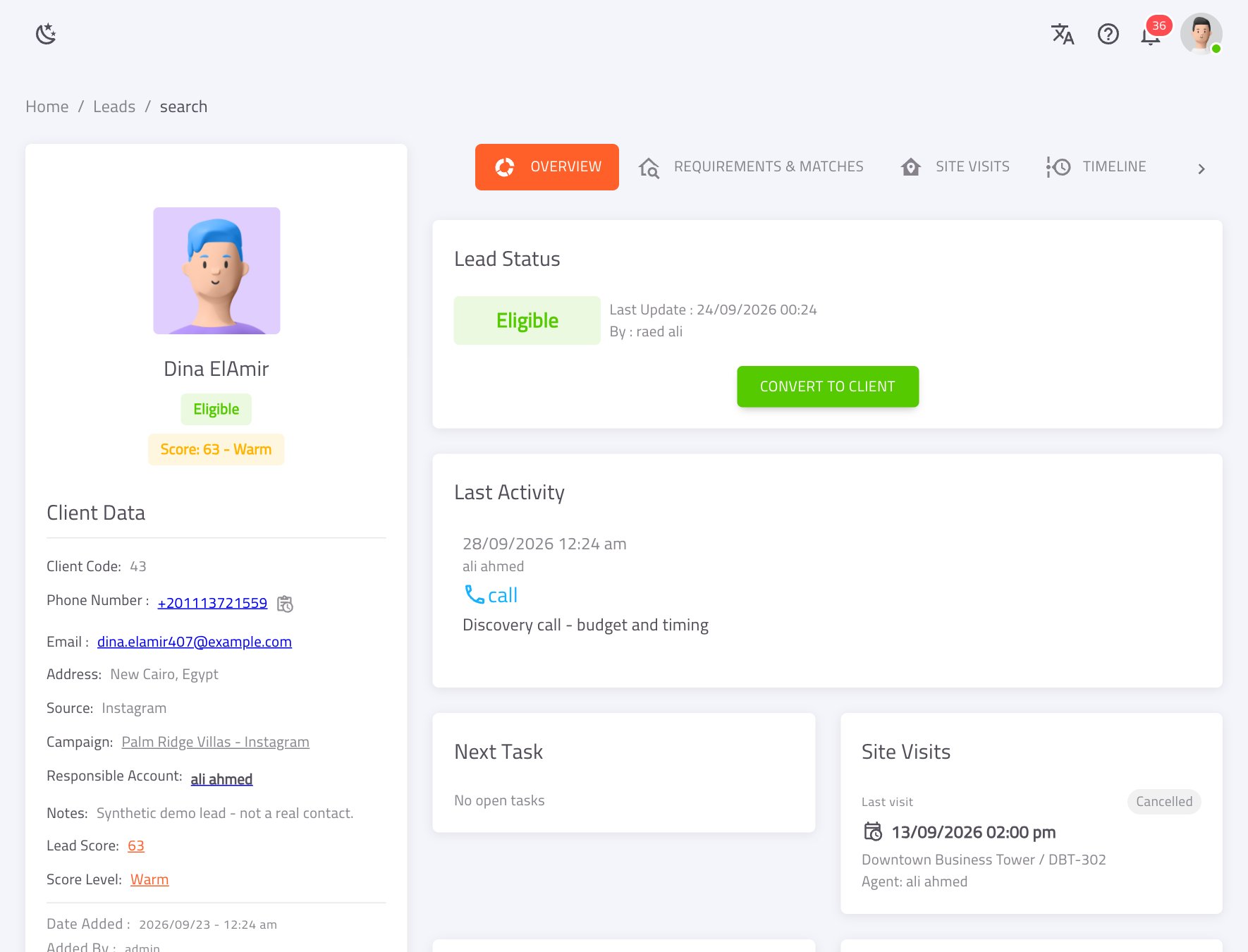
Everything about a buyer, on one page
Status, score, last activity, next task, site visits, requirements and matching units.
- check_circleLead score recalculated every 3 hours
- check_circleTwo-way requirement ↔ unit matching
- check_circleConvert to client in one click
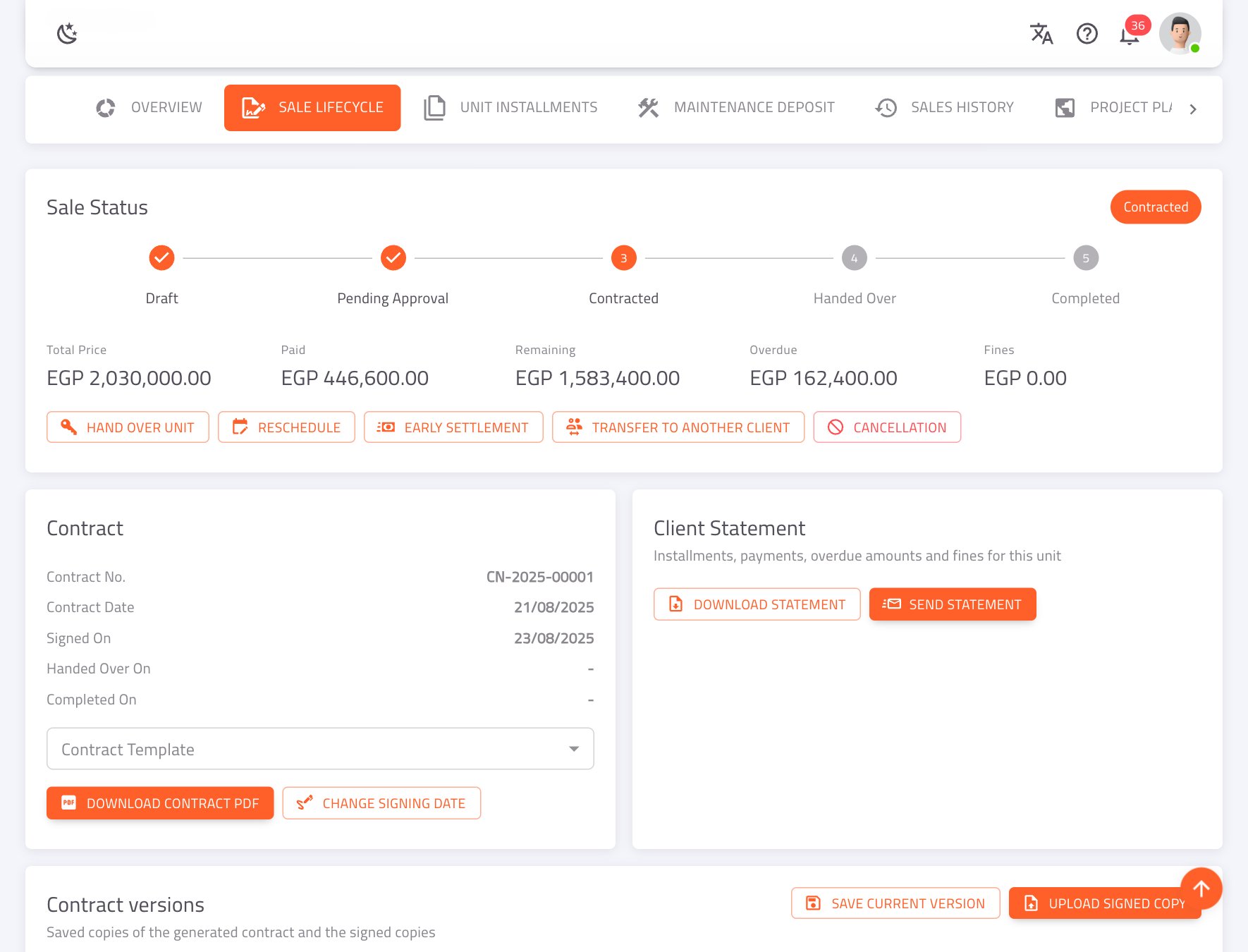
The complete installment-sale lifecycle
Draft → Pending approval → Contracted → Handed over → Completed, with every after-sale action in one tab.
- check_circleReschedule, early settlement, transfer, swap, cancellation
- check_circleContract PDF from templates, signed versions kept
- check_circleLate fines with grace days and caps
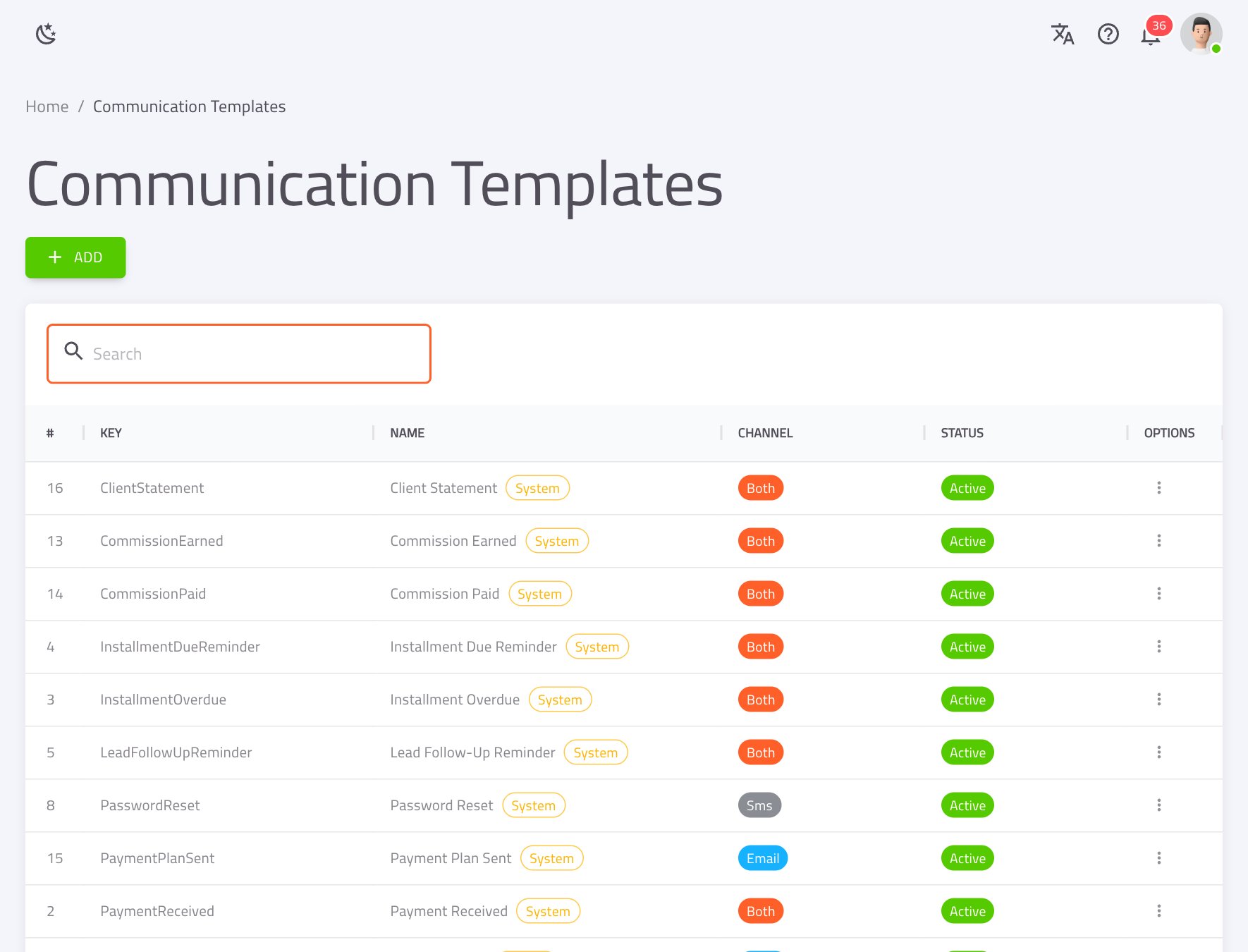
Branded SMS & email, sent for you
One engine for every message — payment receipts, due reminders, site-visit confirmations, statements.
- check_circleReady-made system templates with placeholders
- check_circleBulk sends and a full send log with resend
- check_circleNever blasts your historical backlog
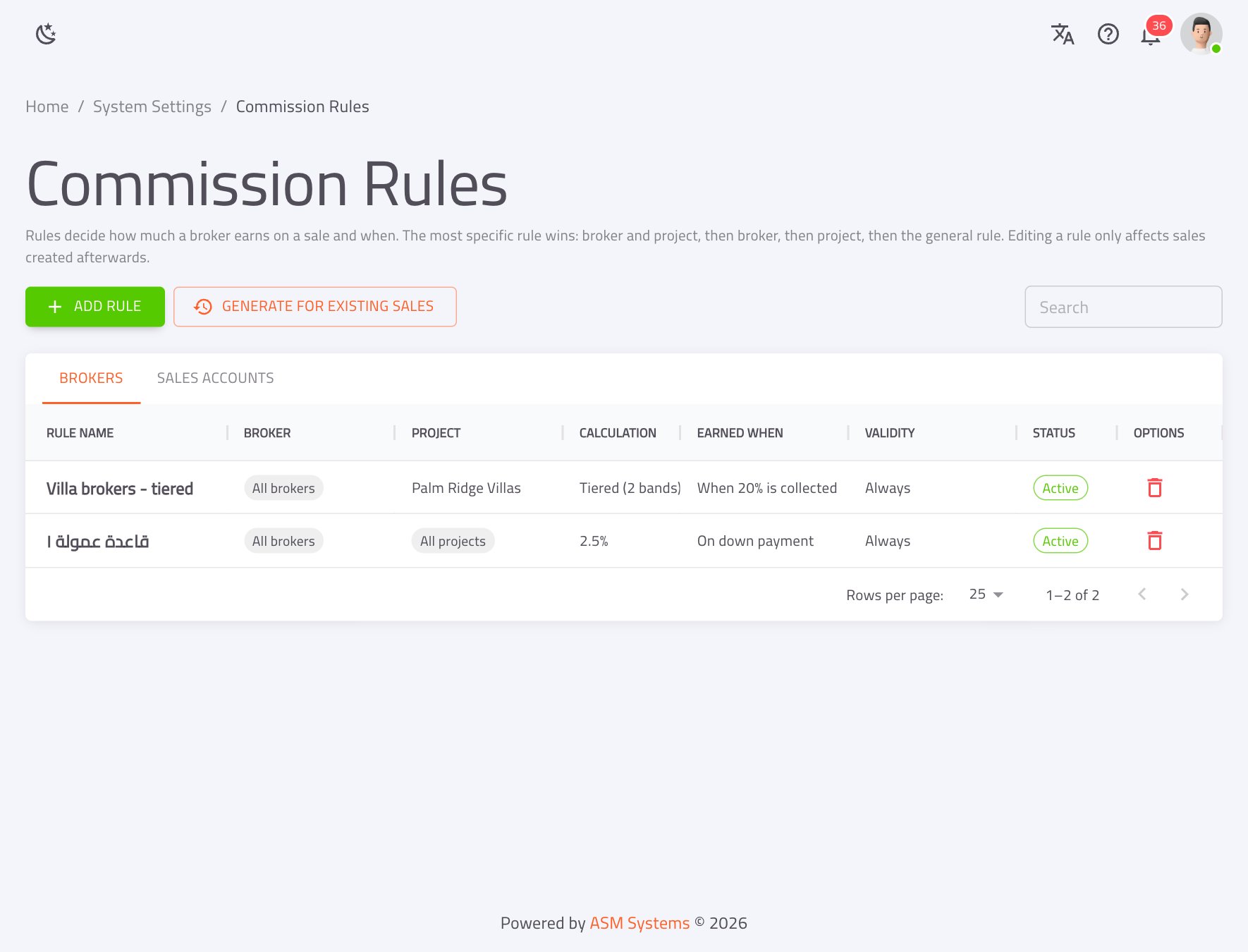
Fair commissions, calculated automatically
Percentage, fixed or tiered rules for brokers and sales reps — earned on contract, down payment or collected %.
- check_circleApprovals and batch payouts with withholding tax
- check_circleAutomatic clawback when a sale is cancelled
- check_circleSales targets and bonus commissions
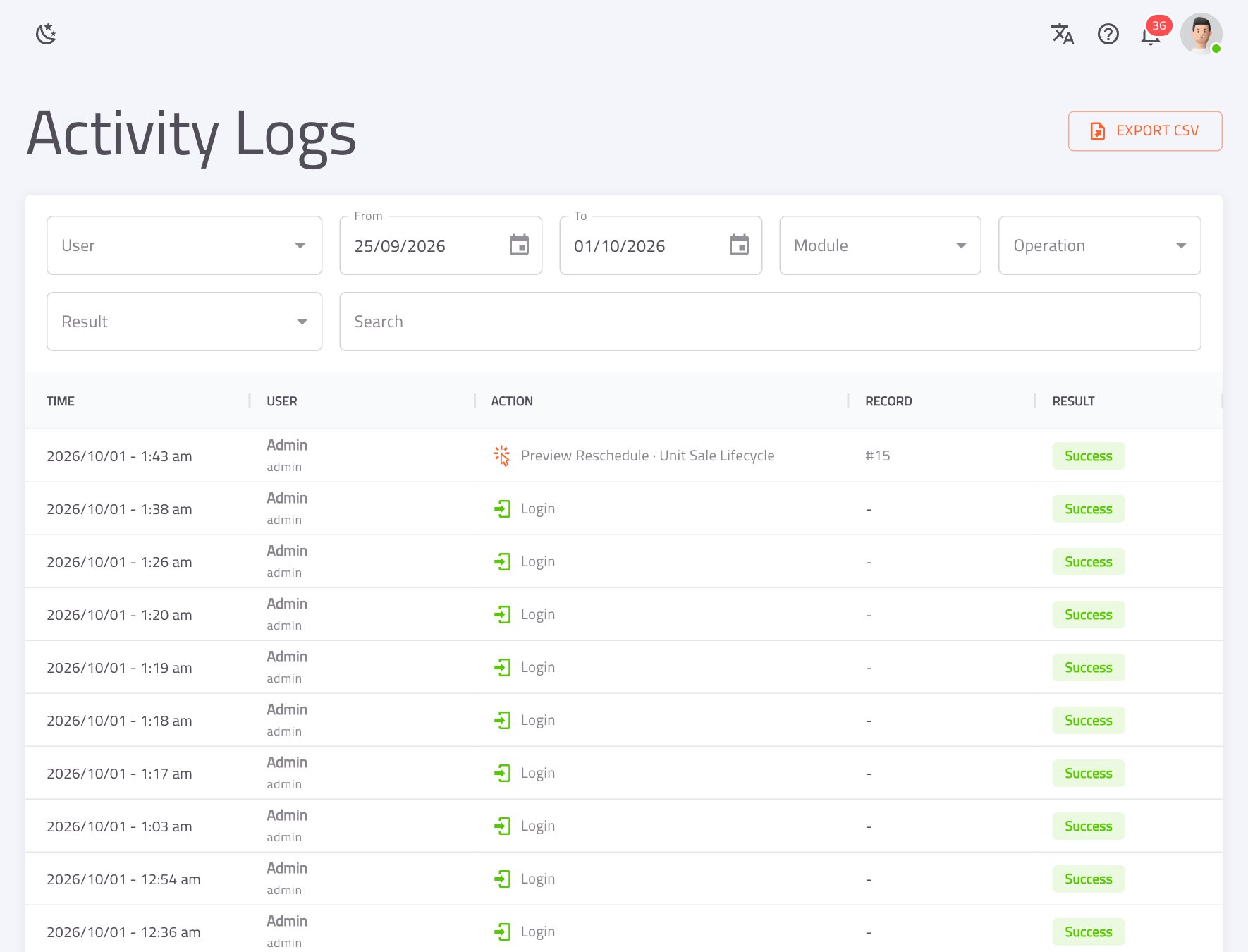
Every change, accounted for
Who did what, when, from which IP — with field-level old → new values in plain language.
- check_circleDownloads and exports logged too
- check_circlePasswords and secrets redacted automatically
- check_circleSearch, filter and export to CSV
How it works
One connected journey, from ad to final installment
Each step updates the next one automatically. Nobody re-enters data.
-
campaign01
Campaign
Leads tagged by channel; ROI tracked to the last sale.
-
person_add02
Lead
Auto-assigned to an agent, scored and followed up.
-
location_on03
Site visit
Client gets a confirmation and a reminder the day before.
-
request_quote04
Quotation
Unit held while negotiating; branded PDF emailed.
-
bookmark_added05
Reservation
Deposit receipt issued; unit locked as reserved.
-
handshake06
Sale & contract
Contract number, installments and payment-plan PDF in one save.
-
payments07
Collections
Receipts, safe and bank balances, cheques and late fines.
-
military_tech08
Commissions & reports
Commissions earned as money comes in; dashboards update live.
Modules
Everything a developer runs on, in one place
Turn on what you need. Every module shares the same clients, units and money — so the numbers always agree.
Inventory & floor plans
Projects to units, interactive plans colour-coded by live status.
Reservations & sales
Cash or installments, discount limits and approvals.
Payment plans & installments
Templates, balloons, fines, reminders and maintenance deposits.
Post-dated cheques
In safe → deposited → cleared or bounced, posted automatically.
CRM & call center
Leads, opportunities, call queue, tasks and teams.
Site visits & quotations
Calendar, reminders and branded price offers that hold the unit.
Campaigns & ROI
Leads → sales → revenue per campaign and channel.
Commissions & targets
Brokers and reps, tiered rules, leaderboards and bonuses.
Communications
SMS and email templates, bulk sends and a full log.
Finance
Safes, bank accounts, receipts and payments linked to sales.
Reports & dashboards
45+ print-ready reports, from aging to cash-flow forecast.
Import Wizard
Move from Excel or a legacy system, with one-click rollback.
Automation
It keeps working after your team goes home
Background jobs run around the clock — and they are designed never to spam your clients: no backlog blasts, exact-day reminders, once-per-day limits and client opt-out.
- warningDetect overdue installments & send remindersPeriodic
- gavelAccrue late fines & pre-due remindersEvery 6 h
- speedRecalculate lead scoresEvery 3 h
- task_altCreate follow-up tasks for stale leadsEvery 12 h
- timer_offExpire quotations & release held unitsHourly
- backupBack up the databaseEvery 6 h
Security & governance
Control who sees what, and who approves what
Seven layers of protection, enforced on the server for every request.
460+ role permissions
Down to single actions, reports and dashboard widgets.
Team-based visibility
Own, own + team, or all records — per module.
Maker–checker approvals
Sensitive edits, deletes and discounts wait for a second approver.
Field-level audit trail
Who, when, IP, and old → new values for every change.
Secure sessions
Signed, expiring tokens over HTTPS, login history, instant deactivation.
Backups & recovery
Every 6 hours with 7 days of history, soft deletes and import rollback.
Deployment
Deploy it your way
Same product, same features. Your team only needs a browser.
Cloud
Best for growing developers and multi-branch sales teams.
- check_circleReady in days — no hardware to buy
- check_circleAccess from head office, sales offices and sites
- check_circleUpdates, monitoring and backups managed for you
On-premise
Best for large developers with strict IT or data-residency policies.
- check_circleAll data stays on your own servers
- check_circleInternal network, VPN or your own domain
- check_circleDatabase upgrades applied automatically
From signed to live in five steps
- 1
Environment setup — cloud or on-premise
- 2
Branding, SMS, email, contracts and payment plans
- 3
Roles, users and teams
- 4
Data migration through the Import Wizard
- 5
Training with the in-app Learning Center, then go-live
See PropBase running on your own projects
Book a 30-minute walkthrough. We'll show the full journey — from lead to collected installment — in Arabic or English.